

Designing custom developer apparel at home means combining your coding identity with clothing you actually want to wear. Web-to-print platforms now let you upload artwork, pick fonts, and generate AI graphics directly in your browser, with no design degree required. The result is personalized developer gear that says something real about who you are and what you build. At Devhero, we see this every day: developers who want their wardrobe to reflect their craft, not just fill a drawer. This guide walks you through the tools, the process, and the creative choices that make the difference.
What do you need to design custom developer apparel at home?
The right setup makes or breaks your first custom apparel project. You need two things working together: a solid digital design environment and the right physical materials for your finished product.
Digital tools and platforms
Web-to-print design software handles the heavy lifting for most developers starting out. These platforms let you upload your own artwork, choose from font libraries, edit text directly on a garment template, and use built-in AI image generators to create graphics from scratch. The best ones deliver automated file preparation, which removes the back-and-forth with a print shop entirely.

AI image generators built into these platforms give you monthly design credits to experiment freely. That means you can iterate on a “404: Sleep Not Found” graphic ten times before committing, at no extra cost. Platforms with live preview keep customers on site longer and increase the rate at which designs actually get completed and ordered.
Pro Tip: Save your design files in PNG format at 300 DPI minimum. Anything lower will look pixelated on a printed garment, even if it looks sharp on your monitor.
Fabrics and print methods
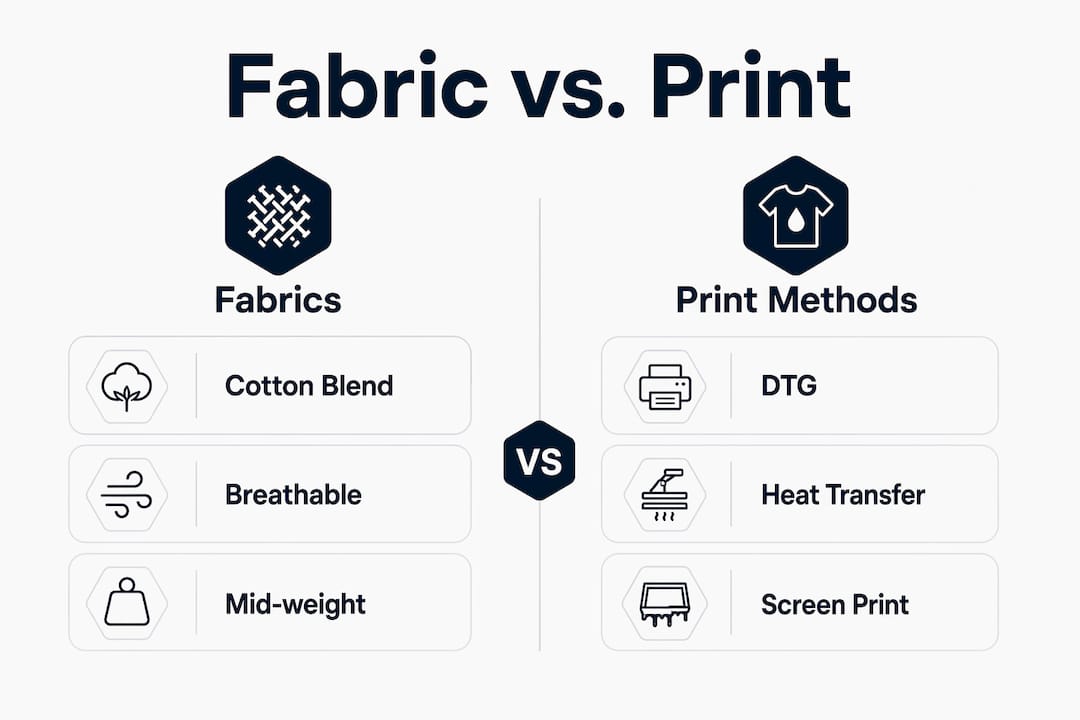
High-grade cotton blends around 5.3 oz/yd² hit the sweet spot for home office apparel. They breathe well during long coding sessions, hold their shape after repeated washing, and accept most print methods cleanly.
Print methods vary significantly in cost and durability. Direct-to-garment (DTG) printing produces the sharpest results for complex coding designs with many colors, but typically requires outsourcing to a print shop. Heat transfer printing works at home with a standard heat press and delivers moderate longevity, making it the go-to for small batches or one-off pieces. Screen printing suits larger runs but demands more setup time and equipment.
| Print method | Best for | DIY-friendly | Durability |
|---|---|---|---|
| Direct-to-garment (DTG) | Complex, multicolor designs | No | High |
| Heat transfer | Small batches, home projects | Yes | Moderate |
| Screen printing | Large runs, simple designs | Partial | Very high |
How do you design custom developer apparel step by step?
The process follows a clear sequence. Skipping steps, especially mockup review, is where most first-time projects go wrong.
-
Define your concept. Start with what you want the apparel to say. Are you repping your favorite language? Making a joke only backend developers will get? Write the idea down before opening any design tool. A clear concept prevents you from spending two hours moving elements around with no direction.
-
Choose your platform and garment. Select a web-to-print platform that supports your print method of choice. Pick the garment type, whether a t-shirt, hoodie, or sweatshirt, and set your base color. Dark garments need lighter artwork; light garments handle both light and dark graphics well.
-
Build your design. Upload existing artwork or use the platform’s AI image generation feature to create something new. Add text using the live editor. Stick to one or two fonts maximum. Align elements using the grid, not by eye.
-
Prepare your files correctly. Export at 300 DPI in PNG or PDF format. Check that your design fits within the print area specified by your platform or print shop. Bleed zones matter: keep critical text and graphics at least 0.25 inches from any edge.
-
Review the mockup. Every serious platform generates a digital mockup showing your design on the actual garment. Study it at 100% zoom. Check text legibility, color contrast, and element spacing before you approve anything.
-
Submit for production or print at home. If outsourcing, submit your files and confirm turnaround time. For DIY heat transfer, preheat your press, position your transfer sheet, and apply firm, even pressure for the time specified by your transfer paper manufacturer.
-
Share your design. Sharing a private design link through social media or a group chat lets teammates or friends order the same design without you needing a full e-commerce setup. This works well for small developer communities or team builds.
Pro Tip: Complete your mockup review on both a desktop monitor and your phone screen. Small text that reads clearly at 27 inches can become illegible at 6 inches, and most people will see your apparel at arm’s length.
How do you personalize developer clothing to reflect your coding culture?
The best developer clothing design does two things at once: it communicates something specific about your coding identity, and it looks good doing it. Generic tech graphics miss the first part. Overcrowded designs miss the second.
Developer apparel commonly features code snippets, bracket pairs, language logos, and witty sayings that only other developers will fully appreciate. That insider quality is exactly the point. A shirt that reads while(alive) { code(); } signals community membership in a way a plain logo tee never could.
Here are proven personalization approaches that work:
-
Language pride: Feature your primary language logo or a recognizable syntax pattern. JavaScript’s
=>arrow function, Python’s indentation style, or Rust’s ownership syntax all translate well to graphic form. - Error codes as humor: HTTP status codes, compiler errors, and terminal outputs make for instantly recognizable and genuinely funny apparel motifs.
-
Keyboard shortcuts: A minimalist design showing your most-used shortcut, like
Ctrl+Zfor the developer who commits too fast, reads as both personal and relatable. - Color palettes from your IDE: Pull the exact hex colors from your favorite dark theme, whether it’s Dracula, Nord, or Monokai, and use them as your apparel color palette. The result feels cohesive and unmistakably developer.
- Monospace fonts: Use a monospace typeface like Fira Code or JetBrains Mono for any text elements. It signals authenticity to anyone who codes.
- Subtle vs. bold: A small chest logo reads as understated and professional. A full-back graphic reads as a statement. Choose based on where you’ll wear the piece most.
Balancing subtlety and boldness comes down to context. Home office apparel worn only on video calls benefits from a clean chest print that reads well on camera. Apparel you wear to meetups or conferences can carry a bolder, more expressive design.
What are the most common mistakes when designing developer apparel at home?
Most problems in custom apparel design are predictable. Knowing them in advance saves you a wasted print run.
Common challenges include file upload errors, fabric-print mismatches that cause distortion, and designs that look great on screen but lose clarity when printed. Each has a straightforward fix.
- Low-resolution files: Always export at 300 DPI. A 72 DPI web image will print blurry, full stop.
- Too many design elements: Cluttered designs lose print clarity. Limit yourself to one primary graphic and one supporting text element per design.
- Wrong color mode: Design in RGB for screen preview, but confirm your platform converts to CMYK for printing. Colors shift between modes, and what looks vivid on screen can print dull.
- Ignoring fabric compatibility: Not every fabric accepts every print method cleanly. Polyester blends repel DTG ink without a pretreatment step. Cotton accepts it readily.
- Skipping the mockup review: Approving a design without checking the mockup is the single most common and most avoidable mistake.
Pro Tip: Order one sample unit before placing a bulk order for your team or community. A physical sample reveals color accuracy, print placement, and fabric feel in ways no digital mockup can replicate.
Fabric-print compatibility deserves extra attention. A medium-weight cotton blend handles DTG, heat transfer, and screen printing without issue. Stretchy knit fabrics distort heat transfer designs when worn. Match your fabric choice to your print method before you finalize your garment selection.
Key Takeaways
Designing custom developer apparel at home works best when you pair the right web-to-print tools with quality cotton blends, a clear concept, and a thorough mockup review before production.
| Point | Details |
|---|---|
| Start with a clear concept | Define what your apparel communicates before opening any design platform. |
| Use web-to-print platforms | These tools handle file prep, live previews, and AI graphics without technical barriers. |
| Match fabric to print method | Cotton blends around 5.3 oz/yd² work with DTG, heat transfer, and screen printing. |
| Review mockups at 100% zoom | Check text legibility and color contrast before approving any design for production. |
| Keep designs focused | One primary graphic and one text element per design preserves print clarity. |
Why developer fashion is more than a wardrobe choice
We’ve watched the custom apparel space shift dramatically over the past few years, and the change isn’t just about better tools. It’s about identity. Developers have always had a distinct culture, complete with shared references, inside jokes, and a deep sense of craft. For a long time, that culture lived entirely in Slack channels and GitHub repos. Now it shows up on what people wear.
Self-service web-to-print platforms have removed the last real barrier to entry. You no longer need a graphic designer, a minimum order of 50 units, or a relationship with a print shop to put your coding identity on a garment. That accessibility changes who participates in developer fashion, and it changes what gets made.
What I find genuinely interesting is how this connects to confidence and community. A developer who wears a shirt referencing their favorite language or a bug they finally squashed is broadcasting something real about themselves. That small act of self-expression builds the kind of low-stakes connection that makes tech communities feel like actual communities. It’s the same reason developers at conferences gravitate toward each other’s shirts before they exchange business cards.
The developers who get the most out of custom apparel are the ones who treat it the same way they treat their code: with intention. They pick one clear idea, execute it cleanly, and ship it. The ones who overthink it end up with a cluttered design that says nothing. Sound familiar?
At Devhero, we think what programmers wear matters more than the industry has historically acknowledged. Clothing is communication. When you wear something that reflects your craft, you’re not just filling a wardrobe slot. You’re part of a conversation.
— Devhero
Devhero’s developer apparel, ready to wear or customize
Devhero builds apparel specifically for developers and tech enthusiasts, with designs that speak the language of coding culture. Every piece ships carbon-neutral, backed by over 80 million carbon-neutral orders and 56 thousand tonnes of carbon removed through verified projects.
Whether you want a ready-to-wear piece or a starting point for your own design, Devhero’s developer clothing collection covers both. From the Captain JS t-shirt for JavaScript developers to the SOLID Developer Hoodie for those who live by clean architecture principles, each piece is built around a real coding concept. The Fit-Tech organic cotton tee gives you a quality base fabric that works for home office wear and beyond. Browse the full range at devhero.shop and find the piece that codes with your threads.
FAQ
What is the best print method for custom developer t-shirts at home?
Heat transfer printing is the most accessible method for home use, requiring only a heat press and transfer paper. DTG printing produces sharper results for complex designs but requires outsourcing to a print shop.
What file format should I use when designing custom apparel?
Export your design as a PNG or PDF at 300 DPI minimum. Lower resolutions print with visible pixelation, regardless of how sharp the design looks on screen.
How do I pick colors for my developer apparel design?
Pull hex colors directly from your favorite IDE theme, such as Dracula, Nord, or Monokai, for a palette that feels authentically developer. Confirm your platform converts RGB colors to CMYK before printing to avoid unexpected color shifts.
Can I design custom apparel for a small developer group without an e-commerce store?
Sharing a private design link through social media or a group chat lets teammates order the same design directly, with no storefront required. This approach suits small developer communities and team builds well.
What fabrics work best for home office developer apparel?
Medium-weight cotton blends around 5.3 oz/yd² provide the best balance of breathability, durability, and print compatibility for home office apparel. They hold their shape through frequent washing and accept most print methods without pretreatment.